



The best laptops for video editing in 2026 feature high-performance processors, stunning displays, and dedicated GPUs. Top picks include the Apple MacBook Pro 14/16, Asus ProArt P16, Razer Blade 16, and others. These laptops can easily handle heavy tasks and are currently most popular among video editors.
When it comes to video editing, having the ideal laptop can make a big difference. A laptop that can withstand the rigors of video editing is necessary, whether you’re a content creator creating videos for social media or a professional editor working on feature films.
With the right machine, you can seamlessly edit high-resolution videos, render effects quickly, and manage large files without breaking a sweat. In this guide, we’ll explore the best video editing laptops in 2026, helping you choose the perfect tool for your creative needs.
Table of Contents
Top 5 Best Laptops for Video Editing in 2026
Here are five top picks for the best video editing laptops in 2026, each offering a combination of power, speed, and display quality.
1. Apple MacBook Pro 16-inch (M4 Pro/Max)
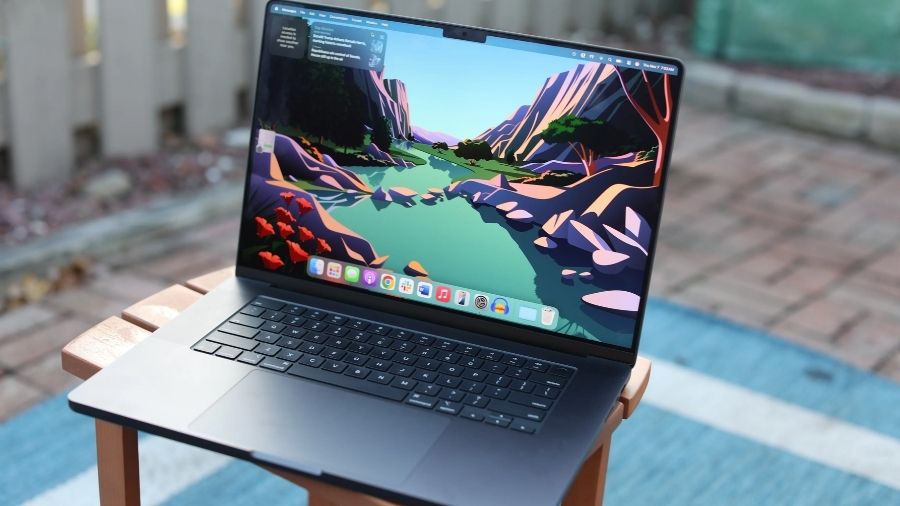
The 16-inch MacBook Pro remains the ultimate choice for anyone looking for the best laptop for editing videos in 2026. This model is powered by M4 Pro and M4 Max chips and offers even better performance and AI capabilities.
This laptop is designed to handle heavy video editing tasks, including 4K and 8K workflows.
This laptop delivers unmatched performance, so you don’t have to worry about a slowdown in performance. With improved unified memory (128 GB) and faster SSD storage, it helps users with smooth multitasking and quick rendering.
The Liquid Retina XDR display offers stunning brightness and color accuracy, making it perfect for color grading and detailed video work.
Here are its key features that make it the best laptop for video editing in 2026:
- M4 Pro or M4 Max chip with advanced 16-core Neural Engine for AI tasks.
- Up to 128 GB unified memory (on M4 Max models).
- Up to 8TB SSD storage for internal high-speed libraries.
- 16-inch Liquid Retina XDR display with ProMotion and great dynamic range.
- Long battery life with high efficiency (up to 24 hours).
2. ASUS ProArt P16
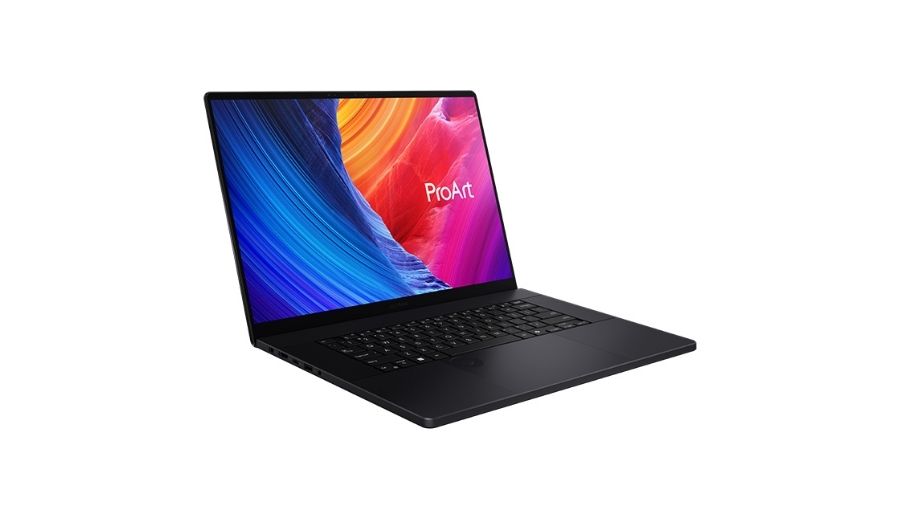
The ASUS ProArt P16 is built for creators who need studio-level performance. This model is powered by the AMD Ryzen AI HX 370 processor and NVIDIA RTX 50 series graphics.
This laptop delivers rapid rendering and smooth multi-track playback for 4K, 8K, and even more complex (12K) video projects.
The most special feature of this laptop for video editing is its 4K Lumina Pro OLED touchscreen. It offers great color accuracy and clarity, making it ideal for editing and color grading.
With AI tools like StoryCube and MuseTree, it is currently a reliable choice for creative professionals.
Here are its key features that make it one of the best laptops for video editing in 2026:
- AMD Ryzen AI 9 HX 370 processor with a 50 TOPS NPU
- NVIDIA GeForce RTX 50 series GPU (up to RTX 5090)
- Up to 64GB LPDDR5X RAM and high-speed SSD storage
- 16-inch 4K Lumina Pro OLED display with 120 Hz refresh
- AI-powered tools for faster editing workflows
3. Razer Blade 16 (2025/2026)
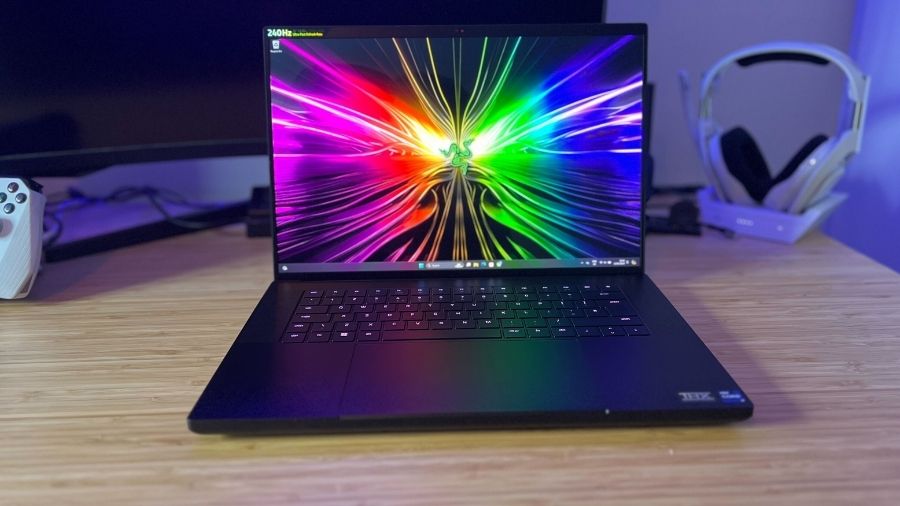
The Razer Blade 16 is a top contender for the most powerful and best video editing laptops in 2026. This Razer flagship has the same signature aluminum design and high power.
It combines the latest Intel Core Ultra processors and NVIDIA RTX 50 series GPUs. These powerful features ensure it can easily manage heavy 4K and 8K video editing tasks.
This model is available with an upgraded 240 Hz OLED display that delivers unmatched color accuracy. It has much better battery life and features Thunderbolt 5 ports that are built for on-location editing.
This is a good laptop for video editing, as it offers the massive battery boost and connectivity that creative professionals need.
Here are its key features that make it one of the best laptops for video editing in 2026:
- Intel Core Ultra 9 368H processor with 16 cores
- NVIDIA GeForce RTX 50 series GPU (up to RTX 5090)
- Up to 64GB of 9600 MHz LPDDR5X memory
- 16-inch QHD+ 240Hz OLED display with high refresh rate
- Premium design with improved battery life
4. MSI Raider 18 HX AI
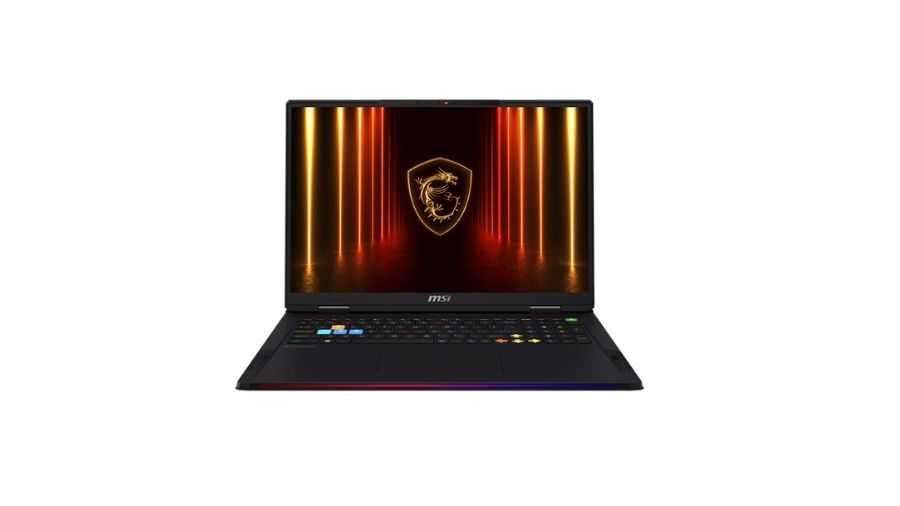
This laptop for video editing is built for users who need extreme performance for heavy workloads. This is an incredibly powerful laptop that works just like a desktop computer.
This is powered by the latest Intel Core Ultra 9 HX processors and NVIDIA RTX 50 series GPUs. This can easily handle complex editing tasks, like 4K and 8K video editing, heavy 3D effects, and others.
Its large 18-inch 4K Mini LED display is the main highlight that offers incredible color accuracy, contrast, and peak brightness. This laptop uses MSI Overboost Ultra technology that keeps the computer running at maximum speed for hours, so rendering videos won’t slow it down. This special cooling feature makes it a strong option among the best laptops for video editing.
Here are its key features that make it one of the best laptops for video editing in 2026:
- Intel Core Ultra 9 285HX processor with high-performance cores
- NVIDIA GeForce RTX 50 series GPU with full TGP power
- Up to 96GB DDR5 RAM (2 slots) for massive project files
- 18-inch 4K Mini LED display with 120 Hz refresh rate
- Advanced cooling system and high-capacity battery
5. Lenovo Legion Pro 7i (Gen 10)
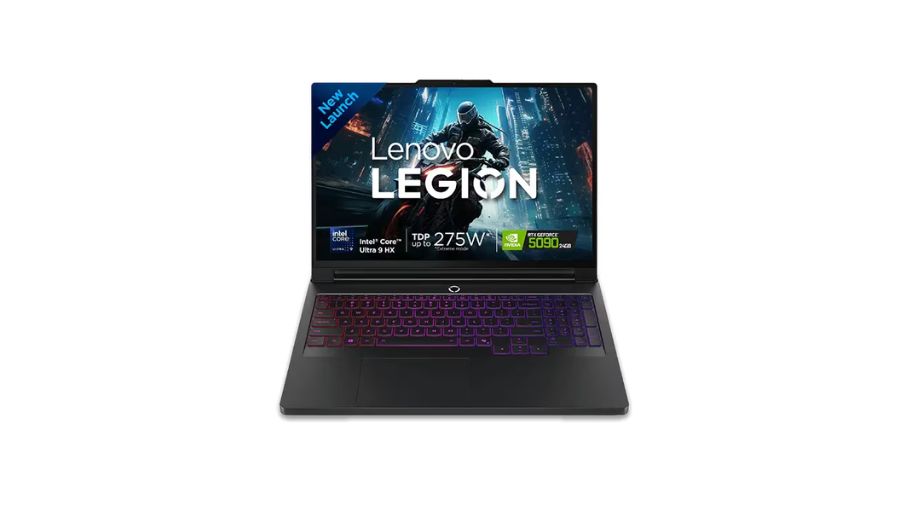
The Lenovo Legion Pro 7i is a powerful choice for creators who need high performance at a better price point. Unlike other options in this list of the best video editing laptops in 2026, this offers high-end performance without an ultra-premium price tag.
It is powered by Intel Core Ultra 9 285HX and NVIDIA RTX 50 series graphics. You can easily handle 4K and 8K video editing workflows on this.
A main highlighting feature of this laptop is its high-quality 16-inch WQXGA OLED display with a high refresh rate.
The vapor cooling system ensures that even during intensive exports, the laptop’s performance remains at its peak. With fast storage and AI-enhanced performance, this best laptop for editing videos, offering great value.
Here are its key features that make it one of the best laptops for video editing in 2026:
- Intel Core Ultra 9 25HX processor for elite multitasking
- NVIDIA GeForce RTX 50 series GPU (up to RTX 5090)
- Up to 64GB DDR5-6400 RAM and support for high-speed storage
- 16-inch WQXGA OLED display with high refresh rate (240Hz)
- Advanced cooling system with stable performance
Why Choosing the Right Laptop Matters
Video editing is a labor-intensive activity that demands machines with a lot of power. A laptop that’s not up to the job can lead to frustrating delays, crashes, and a compromised workflow. When choosing a laptop for video editing, several factors need to be considered. If you ignore factors like processing power and storage, you might not achieve smooth performance and output quality.
Here are the key factors that must not be ignored during this selection:
- Processing Power: A strong CPU is crucial for handling the demanding tasks of video editing software. In 2026, laptops with AI-enabled chips, like Intel Core Ultra, Apple M4/M5, and AMD Ryzen AI series, are the best laptop for video and photo editing.
- Graphics Card: A GPU plays a major role in rendering, effects, and playback. Modern GPUs like NVIDIA RTX 40/50 series and AMD Radeon graphics are perfect if you work with 4K and high-resolution videos. If you are looking for a good laptop for video editing, you must confirm that it has a strong GPU.
- RAM: Video editing software like Adobe Premiere Pro or Final Cut Pro X requires a lot of memory to run smoothly. A minimum of 16GB of RAM is recommended, with 32GB to 64GB being more ideal for handling complex video editing tasks.
- Storage: Fast storage is essential for quickly accessing and saving large video files. The best laptops for video editing in 2026 use high-speed SSDs (Gen 4 or Gen 5), which improve overall performance and reduce delays.
- Display: A high-quality display is a must-have feature in the best laptop for video and photo editing. This feature is necessary for accurate editing and color grading. So, look for laptops with OLED or Mini LED screens with 4K resolution, HDR support, and wide color gamut.
Where to Buy the Best Laptops for Video Editing in Dubai
Dubai is a hub for tech enthusiasts and professionals alike, delivering a broad spectrum of opportunities for purchasing high-end laptops. If you’re looking to buy one of the best laptops for video editing, you’ll find plenty of reliable laptop suppliers in Dubai who can provide the latest models at competitive prices.
Top Laptop Suppliers in Dubai
Dubai is highly regarded as a global hub for electronics with a wide range for the best laptops for video editing. Lenovo, HP, Dell, and Apple are some of the brands they provide with wholesale options and UAE/GCC warranty coverage.
When it comes to finding the perfect laptop for video editing in Dubai, Liberty Computer System is a name that stands out. With a standing for quality and customer pleasure, Liberty Computer System has established itself as a reliable and trusted laptop suppliers in Dubai.
Whether you’re a professional video editor, a content creator, or someone who simply needs a high-performance laptop, Liberty Computer System has a solution tailored to your needs. A wide range of the best laptops for video editing from some of the most respected manufacturers in the business, such as Apple, Dell, HP, Asus, and Lenovo, are available from Liberty Computer System.
There are many different models to pick from, depending on your needs—you might be looking for a more affordable alternative or an expensive laptop for video editing. Their inventory includes laptops equipped with powerful processors, dedicated GPUs, ample RAM, and high-resolution displays – ideal for video editing tasks.
In a city known for its luxurious shopping experiences, Liberty Computer System offers competitive pricing on the latest laptop models. They frequently have promotions and deals, making it easier for you to purchase a high-performance video editing laptop without breaking the bank. Whether you’re investing in the latest Apple MacBook Pro or a powerful Dell XPS, you’ll find that Liberty offers value for money.
Conclusion
Choosing the best laptop for video editing in 2026 involves considering your specific needs, from processing power to display quality. Whether you’re a seasoned professional or just starting, having the right laptop will help you produce high-quality videos efficiently.
When shopping in Dubai, be sure to check out reputable laptop suppliers in Dubai to find the best deals on the latest video editing laptops. You’ll have no trouble producing visually captivating and memorable video content if you have the correct tools.
Remember, investing in a powerful laptop is an investment in your craft. The right and best laptop for video editing not only enhances your editing process but also allows you to push the boundaries of your creativity. So, choose wisely and happy editing!
Let Liberty Computer System help you select high-performance laptop that meets your video editing needs and budget. We offer special IT services in Dubai to creative professionals and businesses based on their requirements.
Read Blog: The Benefits of IP Security Cameras for Modern Security Systems
Frequently Asked Questions (FAQs)
1. What specifications are required for video editing laptops?
You need a powerful multi-core CPU, a dedicated GPU, at least 16 to 32 GB RAM, and a 15-inch or larger display. These specifications are a must for the best laptop for video editing in 2026 that can handle heavy files without slowing down.
2. Which laptop is best for video editing in 2026?
The MacBook Pro M4 Max and ASUS ProArt P16 are two top choices for the best laptop for video editing currently, as they offer unmatched speed with special AI features.
3. Is a GPU important for video editing?
GPU is a very important feature of a laptop for video editing, as it speeds up rendering and enables smooth 4K playback. It also processes color grading faster.
4. How much RAM is needed for video editing?
16 GB is the minimum for basic 1080p video editing, but 32 GB is a must for smooth 4K editing. More RAM, like 64 GB+, is best for 8K footage or heavy motion graphics.
5. Can I use a budget laptop for video editing?
You can use a budget laptop for simple 1080p clips, but it won’t help you with 4K and more complex video projects. Many of the best laptops for video editing are available within a mid-range budget that offer decent performance.
6. Which laptops are best for Adobe Premiere Pro?
The best laptops for Adobe Premiere Pro in 2026 are the Apple MacBook Pro, ASUS ProArt, and Razer Blade 15 for Windows performance because they use the GPU that renders faster.
7. Which laptop is best for Final Cut Pro?
The 16-inch MacBook Pro is the only choice, as Final Cut is Apple-exclusive.
8. Can laptops handle 4K video editing?
Modern and high-end laptops for video editing can easily handle 4K videos. You must choose a laptop with a fast SSD and a powerful processor.
9. What display is best for video editing?
OLED and Mini LED screens with 100% DCI-P3 color are the best, as they make video editing laptops perfect for color grading.
10. SSD or HDD – which is better?
Always choose a laptop with an SSD, as it is much faster than an HDD. Any laptop for video editing must have an SSD, so it can load files quickly.
11. How much storage do video editors need?
You can start with a laptop with a 1TB SSD, video files are huge, and photo editing also needs plenty of internal space.
12. Are gaming laptops good for video editing?
Gaming laptops are great for video editing, as they feature powerful CPUs, GPUs (RTX series), and fast RAM.
13. Do I need external storage for video editing?
High-resolution raw footage fills up the laptop storage quickly, so an external SSD is great for archiving old products safely.
14. What mistakes should I avoid when buying a laptop?
You must never ignore the screen quality, storage, and cooling features when buying the best laptop for video editing.